


Nordica Village: Kids Games 2+
4.01.00 Reviews
App Specs
- Version
- 3.11
- Updated On
- License
- Free
- Downloads
- 50,000+
- Developer
- KidsBanner - Educational games for Kids!
- Categories
- Educational
- Platform
- Android
Screenshots
 Analysis by AppCompare
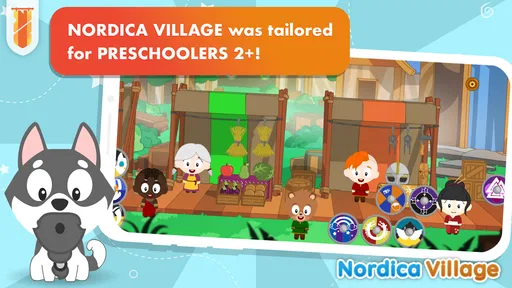
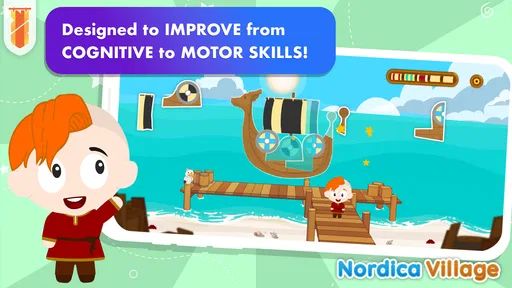
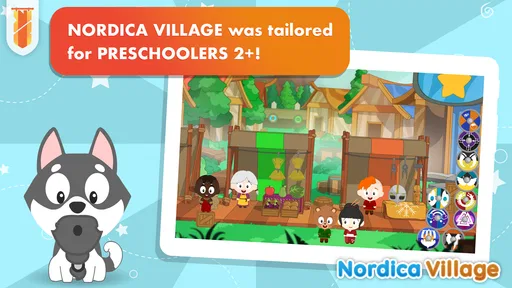
I spent time with Nordica Village: Kids Games 2+ as a preschool learning game, and my first impression is that its strongest idea is its setting. Rather than presenting early activities in a completely ordinary classroom style, it places them in a historical-looking village world. That gives simple learning tasks a sense of place, which can make them more inviting for children who respond better to stories, characters, and visual exploration than to worksheets.
This is a free educational game from KidsBanner - Educational games for Kids!, aimed at young children from around two to five years old. It is listed for Everyone, and the current version is 3.11. I see it as a short, supervised activity for preschoolers rather than a complete early-learning curriculum. That distinction matters: it can support play-based practice, but it should sit alongside conversation, drawing, physical play, books, and real-world discovery.
What Nordica Village offers in everyday use
The central appeal is the combination of preschool activities and a historical village atmosphere. That setting is more distinctive than the usual brightly colored collection of disconnected mini-games. A child who enjoys imagining how people lived in earlier times may find the theme more memorable, while a child who only wants fast, familiar puzzles may not care about the setting at all.
I would introduce it in a calm moment rather than handing it over during a busy routine. A useful example would be a parent preparing dinner while a preschooler sits nearby with a tablet. Instead of treating the game as background entertainment, I would stay close for the first session, ask the child what they notice in the village, and encourage them to explain their choices. That turns screen time into a small language and observation exercise instead of a silent distraction.
The game is designed for the early-childhood range, so the best expectation is gentle practice rather than difficult challenges. At this age, success comes from recognizing patterns, following simple instructions, making choices, and trying again. I would judge the experience by whether it keeps a child interested long enough to repeat an activity and talk about it afterward, not by whether it resembles a formal lesson.
The historical setting also creates an opportunity for parents to extend the activity away from the screen. After playing, you could ask what a village might need, how people traveled, or what tools they might have used. Those questions are not a replacement for features inside the game; they are a practical way to make the theme more valuable. In my view, this is one of the less obvious strengths of the concept: it can become a prompt for conversation, not merely a sequence of taps.
Cost and what free access means
Nordica Village is free to download and use, with optional in-app purchases ranging from $0.99 to $5.49 per item. That makes it easy to test without committing money first. For families comparing several preschool games, this is useful because the child can try the tone and activities before an adult decides whether any paid content is worthwhile.
Worth Reading Before You Choose

EA SPORTS FC Mobile 26 Is a Bigger Football Game, but It Takes Time

Flipboard Shows What News Apps Must Do Beyond the Feed

Switching to Android Auto Means Rethinking Your Driving Routine

Google Calendar Makes a Crowded Week Easier to Manage

Ludo King Makes the Most of the Minutes Between Plans

Baby Panda World Brings Quick Play to Modern Phones, but Its Game Library Feels Busy
I would not describe the free entry as the same thing as unlimited value. The purchase range tells me that some parts of the experience may be offered separately, so parents should approach the game as a free starting point with optional spending rather than assume every element is included. I would check the purchase flow personally before letting a child play alone, and I would keep buying decisions with the adult.
The sensible way to evaluate the paid side is through repeated use. If a child returns to the same activities willingly and the available content supports independent practice without becoming frustrating, even a small purchase may feel reasonable. If interest fades after a single sitting, paying for more is unlikely to solve the underlying problem. Since the app can be tried for free, I would let actual family use decide rather than buying immediately.
There is also a difference between paid value and educational value. A purchase can add more play material, but it does not automatically make the learning deeper. I would look for whether the child is becoming more confident with the tasks, using new words, noticing details, or applying an idea outside the game. That is a better test than simply counting how long the app occupies a child.
Where the village theme helps
The setting gives parents something concrete to discuss. Many preschool games rely on abstract icons and rapid rewards, while a village environment can encourage a slower kind of attention. A child may look at buildings, objects, or scenes and begin asking what they are for. Even when the activity itself is simple, that extra context can make the session feel less repetitive.
I also like the possibility of using the game as a transition activity. A short session before a story about villages, homes, tools, or history can help a child arrive at the subject with curiosity. Afterward, a parent could draw a village together or build one with blocks. This makes the app part of a broader routine and avoids expecting one game to provide all the learning.
Another practical tip is to let the child explain the task before helping. Preschoolers often understand more than they can demonstrate quickly on a touchscreen. If an adult taps through every difficulty, the game may appear smoother, but the child loses the chance to practice decision-making. I would wait, ask “What do you think it wants?” and only then offer a small hint.
The historical inspiration may also suit families looking for something different from alphabet-only or number-only apps. It does not need to replace those focused tools. Instead, it can provide variety for a child who is already tired of conventional flashcards. That variety has value, especially when the goal is to keep learning playful rather than turn every session into a test.
Trade-offs parents should consider
The biggest limitation is that a themed environment does not automatically guarantee broad educational coverage. If your main goal is concentrated practice with letter sounds, handwriting, counting, or a particular school-readiness skill, a dedicated app may be more efficient. Nordica Village makes more sense when you want general preschool play with an imaginative setting.
I would also be cautious about expecting a two-year-old to navigate everything independently. Children in this age group vary widely in language, motor control, attention, and familiarity with touchscreens. A child may understand the idea but struggle with a small target or an unfamiliar interaction. That is not necessarily a flaw in the learning concept, but it does mean the first sessions may need an adult nearby.
The free model can create its own friction. Optional purchases are convenient for expanding an app, but they can interrupt a child’s flow or make adults wonder which material is included. I would explore the available sections before giving the device to a child, decide whether the free material is enough, and avoid making a purchase simply because the child encounters a locked-looking option.
There is another trade-off in the historical theme. Some children will find it fascinating; others may prefer animals, vehicles, music, or familiar household scenes. If the child does not connect with the village idea, the educational purpose may not be enough to hold attention. In that situation, a simpler game built around the child’s existing interests could deliver more practice, even if it is less original.
I would also avoid using any preschool game as a substitute for hands-on learning. Touching a picture of an object is not the same as handling a real spoon, sorting real blocks, or listening to an adult describe a place. The best use here is complementary: a brief digital activity followed by something physical, spoken, or creative.
Who is most likely to get value
This game is a good candidate for families who want a no-cost starting point for preschool entertainment with an educational purpose. It may suit children who enjoy pretend worlds and visual scenes, especially when a parent is willing to talk about what appears on the screen. The Everyone rating and early-childhood focus make it appropriate to consider for a broad family audience, while supervision remains sensible because children’s needs differ.
It may be particularly useful for a child who resists formal learning apps but will engage with a setting that feels like a place to explore. In that case, the village theme can act as the invitation. I would use it for short sessions, observe which activities hold attention, and then repeat only when the child is still interested. Stopping while the experience is positive is often more effective than pushing until boredom or frustration arrives.
Families with several young children may also find it useful as a conversation starter, but I would not assume that one shared device experience will work equally well for everyone. An older preschooler may want to make choices independently, while a younger child may need an adult to interpret instructions or control the pace. Taking turns and asking each child to describe what they see can make the activity more social.
On the other hand, I would skip it if you need a tightly structured teaching program with clearly sequenced lessons or a specific academic target. I would also look elsewhere if your child dislikes historical or village-themed worlds, becomes upset by trial and error, or needs activities designed around accessibility requirements that this review cannot establish. A free app is not automatically the right app for every child.
How it compares with familiar alternatives
Compared with alphabet and phonics apps, Nordica Village appears better positioned as themed general play than as a focused literacy tool. A phonics-first app is the clearer choice when a parent wants repeated sound practice. Compared with number-training games, this one is more likely to appeal through atmosphere and variety than through a narrow sequence of counting exercises.
It also differs from open-ended drawing or building apps. Those give children more freedom to create, while a structured educational game usually gives clearer prompts and goals. I would choose Nordica Village when I want the child to respond to guided activities inside an imaginative context. I would choose a creative app when the child needs to invent, draw, or experiment without a right answer.
Traditional books still offer something this game cannot fully reproduce: shared reading, physical pages, and a natural rhythm of questions and answers. The village theme could pair nicely with a picture book, but I would not treat the app as a replacement. Its best position is between a simple digital puzzle and a conversation-led activity, with the adult deciding how much support to provide.
The install base is over 50 thousand, and the average rating is 4.0 from around 41 ratings. Those figures suggest that the game has found an audience, but they are not enough for me to treat it as a universal recommendation. I would put more weight on whether the theme matches the child and whether the free experience remains enjoyable after several short sessions.
My practical way to try it
I would begin by playing one session myself. I would check how clearly the game communicates its tasks, whether the child can reach the controls comfortably, and how the free sections are presented. Then I would invite the child to try while I watch without taking over. This quickly reveals whether the game feels welcoming or whether the adult must constantly translate what to do.
For a young child, I would keep the first visit brief and end with a question connected to the village. “What did you notice?” is more useful than asking whether the child won. If the answer leads to a story, drawing, sorting activity, or pretend play, the app has done more than fill time. If the child only asks for faster rewards, I would reduce the session and try a different type of activity.
I would also separate testing from spending. Let the child use the free material long enough to show a pattern of genuine interest. If the game becomes part of a regular routine and the optional content seems likely to be used repeatedly, the small purchase range may be worth considering. If the child needs constant prompting or loses interest quickly, keep the free version or remove it rather than chasing value through extra purchases.
Device sharing is another realistic consideration. If the app is used on a family tablet, I would set it up before the child begins and keep the device in a common area. That makes it easier to guide the session, prevent accidental purchases, and notice whether the child is learning from the activity or simply tapping through it. The game works best when the adult remains involved without turning every moment into instruction.
My verdict on Nordica Village
Nordica Village: Kids Games 2+ is worth trying for families seeking a free preschool game with a distinctive historical-village atmosphere. I appreciate that it offers a more imaginative frame than a collection of disconnected drills, and I can see real value in using its setting to encourage questions, storytelling, and follow-up play away from the screen.
My recommendation is conditional rather than automatic. The free starting point makes experimentation easy, but optional purchases mean adults should evaluate actual use before spending. The game is most convincing for children who enjoy themed worlds and guided activities. It is less suitable for parents searching for a complete literacy, numeracy, or school-preparation course.
KidsBanner - Educational games for Kids! has created something that can fit neatly into a balanced preschool routine when used in short, supervised sessions. I would download it, test the free experience with the child, and watch for repeated interest rather than relying on the theme alone. The best value comes from turning the village into a launch point for conversation and real-world play, not from treating the app as a digital babysitter.
Pros
- Simple controls designed for toddlers and preschoolers.
- Bright visuals and gentle animations keep play engaging.
- Educational activities encourage basic problem-solving skills.
- Suitable for short
- independent play sessions.
- Child-friendly interface with minimal reading required.
Cons
- Some activities may feel repetitive after extended play.
- The app may offer limited challenge for older children.
- Certain features or content may require in-app purchases.
- Gameplay can become less engaging without adult interaction.
- Performance may vary on older phones and tablets.
FAQs for Nordica Village: Kids Games 2+
What is Nordica Village: Kids Games 2+?
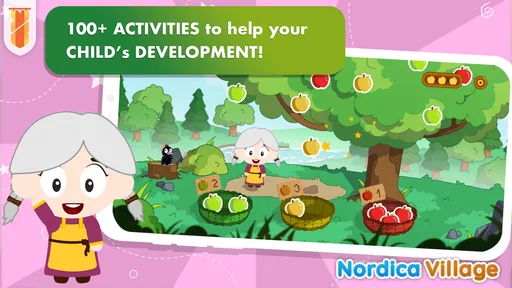
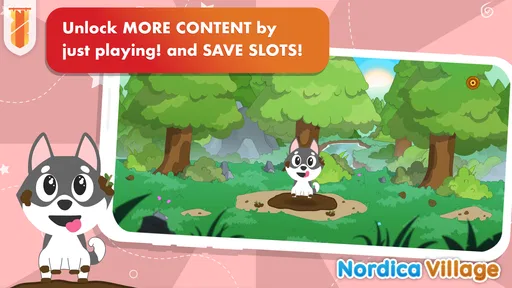
Nordica Village: Kids Games 2+ is a child-friendly mobile game designed for young children, generally around two years old and above. It offers simple activities, colorful scenes, and an easy-to-understand village setting where children can explore, interact with characters, and discover playful tasks. The experience is intended to encourage curiosity and independent play rather than competition or complex objectives.
Is Nordica Village: Kids Games 2+ suitable for toddlers?
The game is created with very young players in mind, using straightforward interactions that are easier for toddlers to understand than traditional games. Children can usually tap, drag, and explore without needing advanced reading or gaming skills. Parents should still try the game first and supervise younger children, since attention span, motor skills, and comfort with mobile devices vary considerably from one child to another.
Does the game require an internet connection?
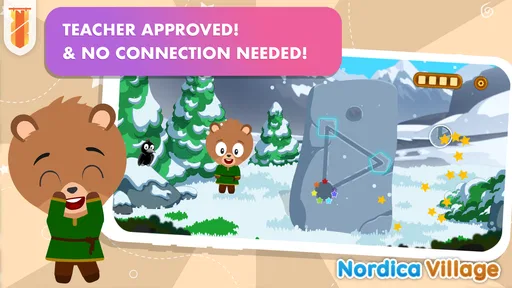
Whether Nordica Village: Kids Games 2+ works fully offline may depend on the version installed and the device platform. Many activities can be suitable for offline play after the required content has loaded, but an internet connection may be needed for the initial download, updates, advertisements, account services, or purchases. It is best to check the store listing and test the game before using it during travel or away from Wi-Fi.
Does Nordica Village: Kids Games 2+ contain advertisements or in-app purchases?
Parents should review the current store information before downloading because advertising and purchase policies can change between releases, platforms, or regions. Games for young children may include optional paid content, premium features, or purchase prompts even when the basic download is free. To prevent accidental spending, use parental controls, require authentication for purchases, and check the app’s settings before handing the device to a child.
Is Nordica Village: Kids Games 2+ educational, and can parents play with their children?
Nordica Village: Kids Games 2+ is primarily an entertainment and exploration game, although its simple activities may support basic skills such as hand-eye coordination, recognition, attention, and cause-and-effect learning. It should not replace structured educational activities or adult interaction. Parents can make the experience more valuable by playing together, asking children about the characters and objects, and encouraging them to explain what they discover.


